

Deskman 16.1
Deskman can hide the Start Menu, disable Task Manager, block Control Panel, etc.
Program info
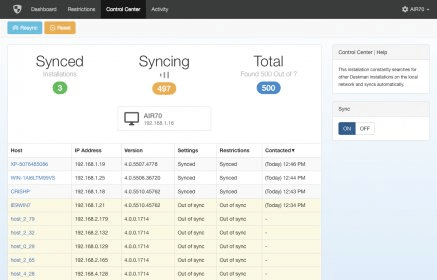
Deskman offers a way to protect your desktop and workstations by locking selected items. This program will work from the System Tray and will be available by right-clicking the corresponding icon or by entering the Ctrl+Alt+F12 key combination. There is also a remote access from a web browser. In addition, in all these cases, accessing the different options will be protected by password.
Managing different protected items is easily done by means of a tabbed interface. It all will be as easy as to find the name of the element you want to protect and activate the checkbox next to it. In this regard, you will be able to protect such areas as the Desktop, Windows Explorer, Internet Explorer, Privacy, Start Menu, System, Taskbar and Drives. These would appear as entries in a tree-like structure, in which expanding the desired entry will give you access to each of the contained elements.
You will also find useful features such as Desktop Lock, which will restrict any access to the desktop by covering the screen with a translucent panel. Another interesting feature is Freeze; this will prevent the users to run any program, except those already running at the moment. Deskman allows you to set different security profiles, this way you can activate various protection levels according to the type of user.
In general, Desktop Lock is an application offering tons of useful options. However, you will need to have the necessary skills or you could even block yourself from using your system. In addition, this application is useful for shared computers, as those in a school or a company, or when you let your children use your PC. Thus, it will have limited value if you are the only one using your machine.
Pros
- It offers several useful options
- It can protect your PC effectively
- It is easy to use
- It allows remote access
Cons
- It is not necessary for individual computers
- It requires knowledge of a computer system
Details
Extensions

No information available
The data will be available later.



Comments